Sharing
Claritea lets you share results with a sponsor without giving them access to your account. You create a share link from a sponsor’s page; the Share page in the sidebar is where you manage the links you have already made, not where you create them.
This guide covers sharing a sponsor report - a fixed snapshot behind a link. To instead give a person standing, read-only access to your live dashboards, see Inviting viewers.
Creating a share link
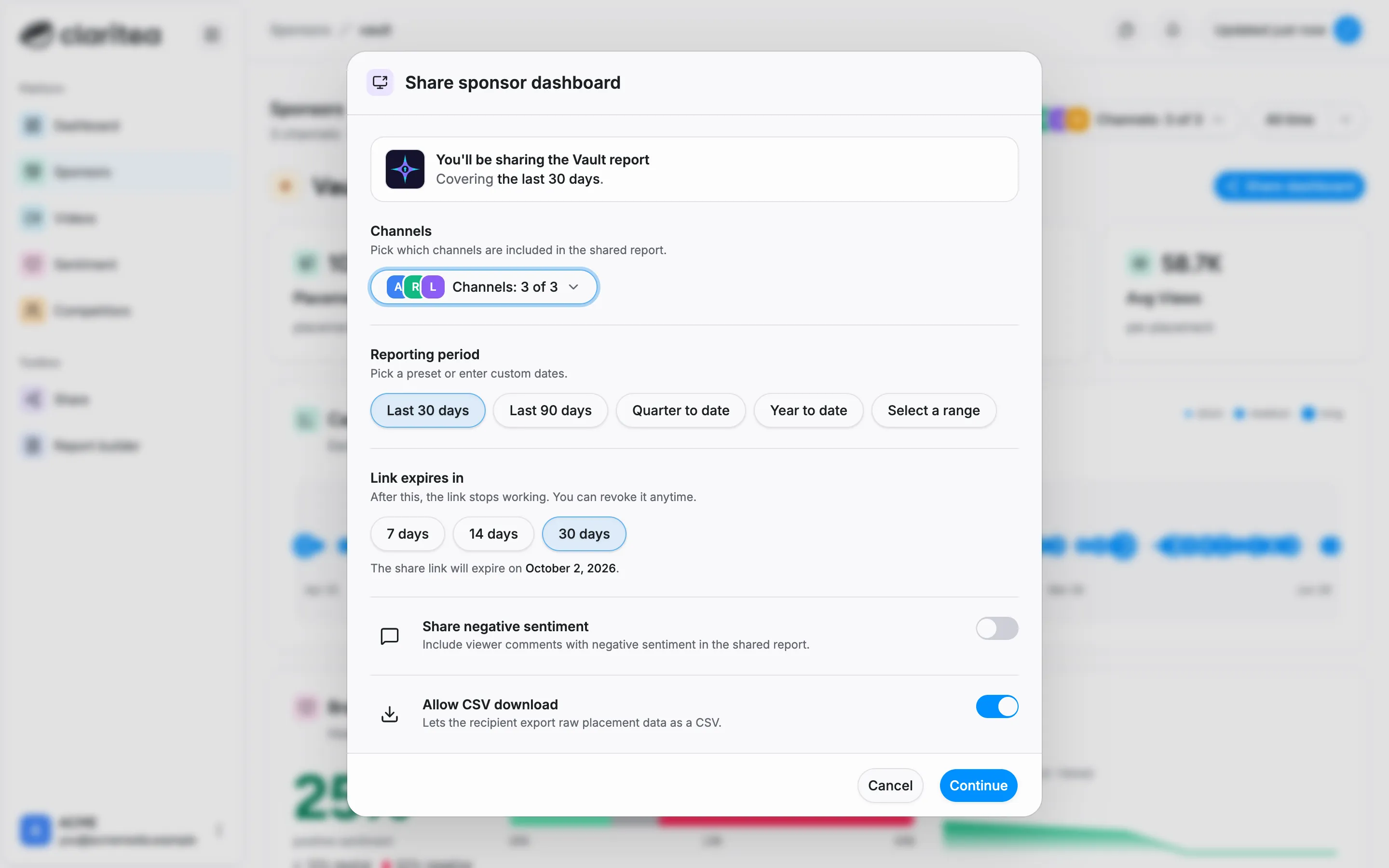
Section titled “Creating a share link”Open the sponsor you want to report to from the Sponsors page and select Share dashboard. You choose exactly what the report covers:
- Channels: which of your channels are included
- Reporting period: a preset like last 30 days or year to date, or custom dates
- Link expiry: 7, 14, or 30 days. After that the link stops working, and you can revoke it anytime
Anyone with the link gets a read-only view. Your account stays private, and recipients cannot see other sponsors’ data. Every link you create is listed on the Share page - see Managing your share links below.
What recipients see
Section titled “What recipients see”Recipients get a clean, read-only report view of the shared data.
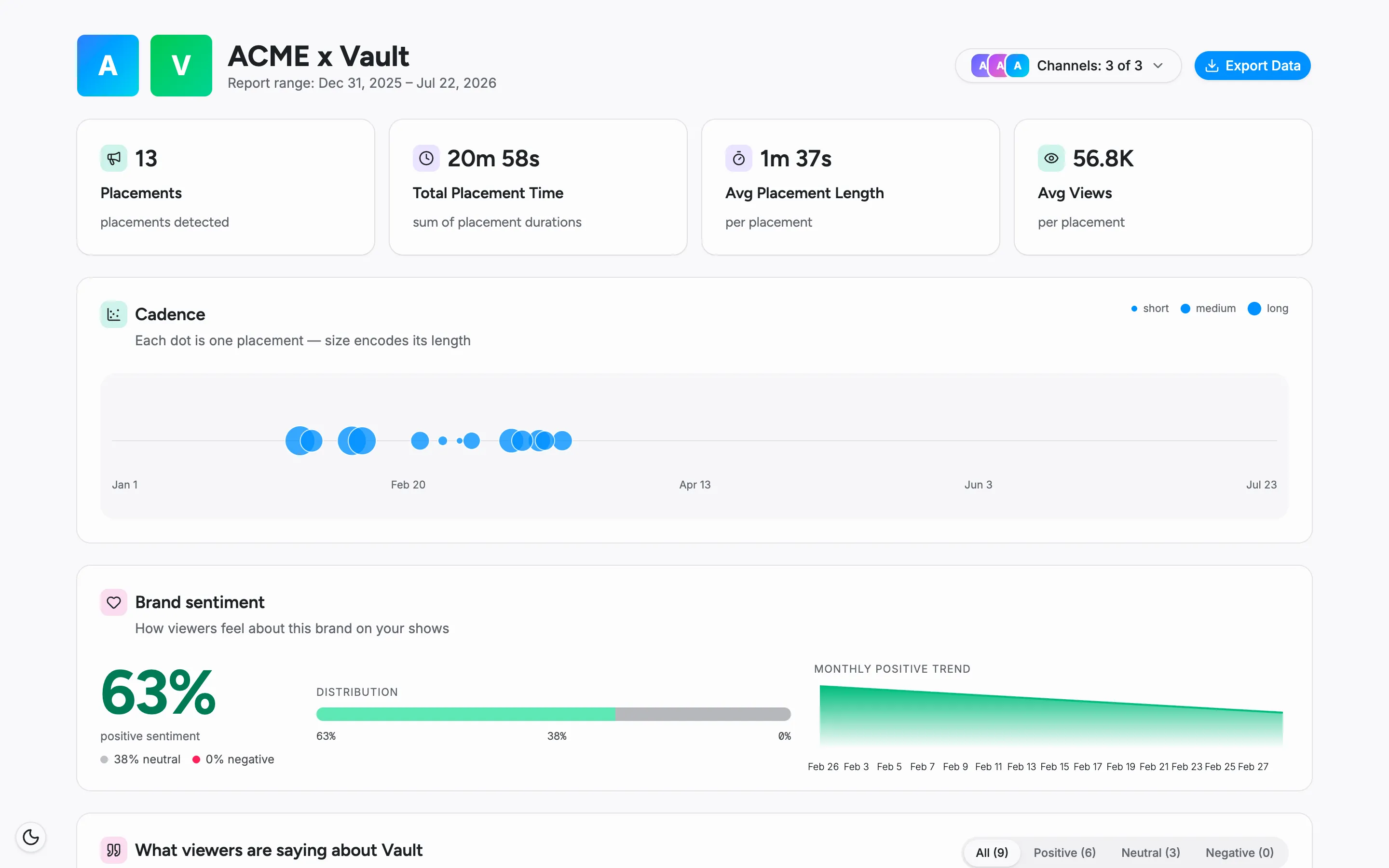
Commenter identities are anonymized in shared views, so your audience’s privacy is protected.
Controlling negative sentiment
Section titled “Controlling negative sentiment”By default, shared views do not include negative audience comments. You choose whether to include them when you share.
CSV export
Section titled “CSV export”The Allow CSV download option on the share dialog lets the recipient export the raw placement data behind the report. It is on by default - turn it off if you only want them to see the report itself.
Managing your share links
Section titled “Managing your share links”The Share page in the sidebar lists every link you have created: which sponsor it is for, the link itself, when it was created, when it expires, how many times it has been viewed, and its status - active, expired, or revoked.
- Search and filter: find a link by name, or filter the list by status or type
- Copy link: grab the link again to resend it
- Revoke share: cut off access before the link expires. Revoking cannot be undone - the link stops working immediately, and anyone opening it sees a “report unavailable” page instead of the data